

Out with the old
We know our resellers and their customers don’t have time to waste — which is why we’ve made the process of returning numbers as convenient as possible… First, log into our savvy Number Manager solution and click the Numbers button in the top bar. Next, select the Numbers tab — you’ll find this next to the Dashboard option. Once you’ve hit the Numbers tab, you can then choose which numbers you want to return to us. Select the number(s) you no longer need and the arrow buttons to move them to the right-hand panel. Click REMOVE NUMBERS to return them and tidy up your Number Manager database. As soon as you remove a number, it’ll go into a quarantine state for six months before becoming available for re-allocation to other ChorusCX partners. But remember: we can’t accept any numbers that have had a service associated with them. So, before you try to remove a number, make sure you’ve deleted its allocated service first. 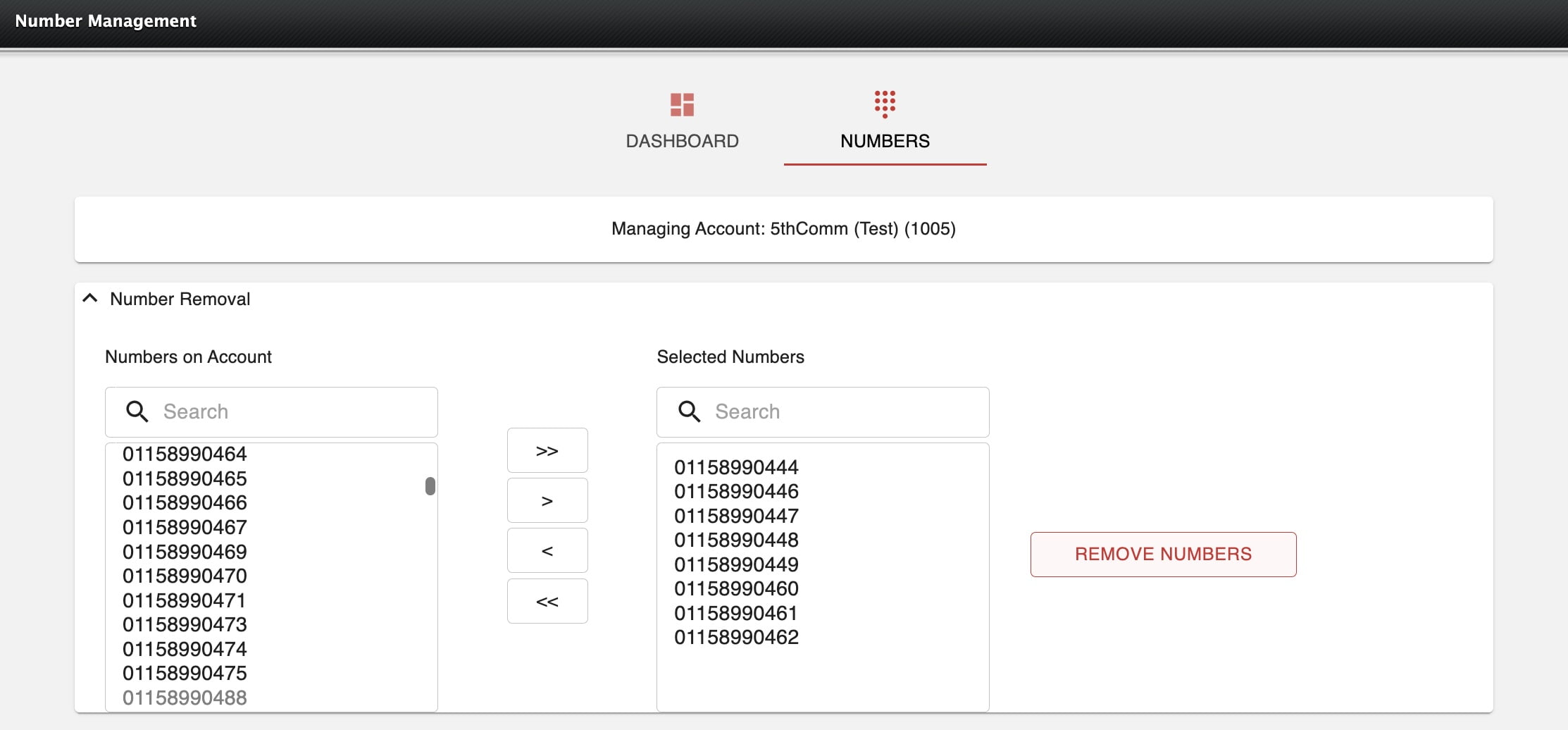
In with the new
At ChorusCX, we’re constantly striving for new ways to keep our telephony solutions simple for users. As such, we recently shared another exciting update for ChorusCX Number Manager: contacts, a shared destinations concept to make using Number Manager — and keeping customers connected — easier than ever… Think of an address book where you can enter a name for an endpoint. These contacts could have phone numbers or even a SIP address, depending on the service at the other end, which will then be available to put into a service across ChorusCX’ Number Manager. Within the destination type, all you have to do is select ‘Contacts’ and pick which contact you’d like to use. Currently, if your customer’s number appears in multiple services and they change that number, it can be a bit of a time-consuming process to go into each service and edit their contact. So, we’ve made it quick and easy for your customers to update their information across the platform. Thanks to the upgraded shared destination feature, all Number Manager’s services will read from the database and make sure the call is directed to the right place — made even easier now that users can remove inactive contacts. Regardless of the technology they’re using, Number Manager will hunt for an available agent at the other end. This means that, without splurging on extra licenses, users can trust our intelligent voice platform to route their calls to the right places. Plus, your customers can eliminate the complications of switching between applications and technologies to make the most of the platform — because we’ll adopt whatever their office capabilities are. Ready to bring our new and improved call-routing solution to your customers? Request a free demo for ChorusCX Number Manager or get in touch with us at sales@invosys.com for more information.